Solution · Ecommerce and accounting
Orders that become invoices on their own
An online store that does not talk to the accounting system creates manual work and errors. This is how we build a connection between WooCommerce and DK, Regla or Payday that creates every invoice exactly once, keeps stock right and tells you when something breaks.
- Published
- Length
- 10 min read
In short
- The problem: orders are keyed into the accounting system by hand, stock on the website drifts, and errors only surface at month end.
- The solution: a queue and an integration worker that map every order to exactly one invoice, with kennitala, correct VAT rates and a mapping table.
- Stock has one source of truth, the accounting system, and flows from there to the website. Conflicts follow rules agreed in advance.
- Alerts and a daily reconciliation make failures visible at once, not at month end. This is a solution write-up, not a story about a named client.
Fact sheet
- Client
- Generic solution, no named client
- Sector
- Ecommerce and accounting
- Year
- 2026
- Tech
- WooCommerce
- WordPress
- PHP
- Action Scheduler
- WooCommerce REST API
- dkPlus API
- Payday API
01. Background
A common setup for Icelandic online stores is WooCommerce on the website and DK, Regla or Payday for the books. Each system works well on its own. The trouble is the gap between them: someone has to turn every order into an invoice in the accounting system, and someone has to make sure the stock on the website matches the stock on the shelf. This write-up shows how we build our WooCommerce integration with DK, Regla and Payday when a ready-made plugin isn’t enough.
When that is done by hand, time goes into typing, and the errors appear where they are most expensive: in the month-end close, in the VAT return, or with a customer who bought something that was not in stock.
Ready-made plugins exist. Payday publishes its own WordPress plugin, Regla connects to WooCommerce from inside Regla (in Icelandic), and for DK we have built our own plugin, DKsync, which syncs products, stock levels and invoices. If a ready-made plugin fits your business, we recommend it, and for DK, DKsync usually does the job. This write-up is for when it doesn’t: special discounts, several warehouses, complicated tax categories, made-to-order products, or monitoring and traceability requirements that off-the-shelf plugins don’t meet. For a broader look at the options for each system, see How WooCommerce connects to Icelandic accounting.
02. The challenge
A store-to-accounting connection looks simple: when an order arrives, create an invoice. In practice it has to survive everything that can go wrong between two systems, neither of which controls the other.
- Duplicates. If the accounting system answers too slowly and the request is retried, one order can become two invoices.
- Customers. Accounting systems usually identify customers by kennitala, the Icelandic national ID number, but WooCommerce only knows an email address and a name. The same company can order with three different email addresses.
- VAT. Iceland’s standard rate is 24% and the reduced rate 11%. One invoice can contain both, plus a shipping fee and a discount spread across lines. Krónur have no decimals, so rounding per line can leave the total one króna out.
- Stock. If both the website and the accounting system change stock levels, which one is right?
- Silent failures. The worst error is the one nobody sees: an invoice that was never created because an API key expired.
03. Goals
These are the criteria the connection must meet. Section 6 uses them as the go-live test list.
- G1Every order becomes exactly one invoice, even when a request is retried.
- G2VAT rates and totals on the invoice match the order to within one króna.
- G3Customers are found or created by kennitala, without duplicates.
- G4Stock has a single source of truth, and the website never sells what is not there.
- G5A failure is visible within minutes, not when the bookkeeper goes looking for a missing invoice.
- G6A daily reconciliation shows orders, invoices and payments side by side.
04. Approach
We never start with code. The first step is mapping the business with you and your bookkeeper.
Mapping. Which products are in which tax rate? How are discounts and shipping booked? When should an invoice be created: when an order is paid, fulfilled or shipped? What happens on a refund? The answers become a mapping document that is signed off before any code is written.
Choosing the route. Each system offers its own way in:
| System | Route | Who initiates |
|---|---|---|
| DK | dkPlus, a REST and JSON API with a test environment. Access is granted on request to DK. | The integration worker pushes to DK |
| Payday | Public API documentation and a separate sandbox. | The integration worker pushes to Payday |
| Regla | Regla connects to WooCommerce itself through the WooCommerce REST API, using a key you create in WooCommerce. | Regla pulls orders from the store |
With Regla, then, the work is less about sending data and more about the store exposing it correctly: kennitala in the right fields, tax classes on products and order statuses Regla reads the way you intend.
Test environments first. We build against the accounting system’s test environment and a copy of the store, never against live books.
05. The solution
Architecture
From order to invoice
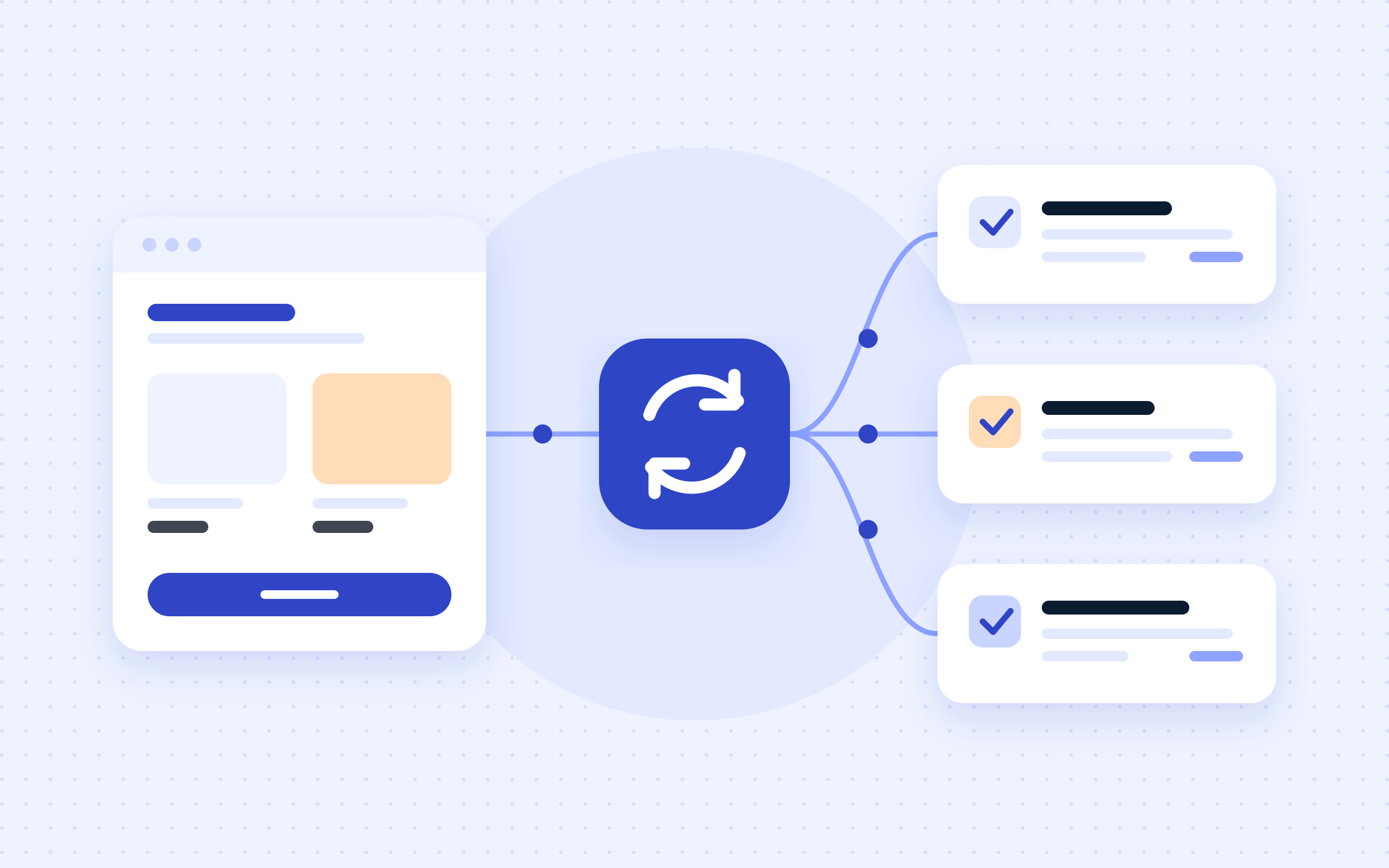
- The integration is a WordPress plugin. When an order reaches the status agreed in the mapping, for example “paid”, the plugin catches the change and puts a job on the queue. We use Action Scheduler, the queue that ships with WooCommerce, so the job survives a restart and can be retried.
- The integration worker fetches the order and maps it: each line gets a product code, quantity, unit price and tax rate from the mapping document. Discounts are spread across lines the way the bookkeeper decided.
- Before sending an invoice, the worker checks the mapping table to see whether the order already has one. The order number also goes on the invoice as a reference, so it can be looked up in the accounting system.
- When the accounting system replies, the invoice number is stored in the table and added as a note on the order in WooCommerce.
Exactly once, whatever happens
The heart of the connection is the mapping table. It links every order to the invoice it produced and makes the operation idempotent: whether the job runs once or five times, one invoice exists. If a request times out without an answer, the worker first checks whether the invoice was created on the other side before it tries again.
Retries use exponential backoff. After a set number of attempts the job moves to a failure list instead of retrying forever, and an alert goes out.
Kennitala and customers
Checkout gets a kennitala field, optional for individuals and required when the invoice should go to a company. The field is validated in the browser and on the server: ten digits, with the first six forming a valid date (companies add 40 to the day). The check digit is not used to reject a kennitala, because since 18 February 2026 Registers Iceland issues kennitölur without one (skra.is, in Icelandic). The worker looks the customer up by kennitala and only creates one if none exists. Foreign customers without a kennitala go to a shared customer record or their own, whichever the bookkeeper prefers.
VAT
Iceland’s standard VAT rate is 24% and the reduced rate 11% (Act No. 50/1988 on VAT; see skatturinn.is). Each product gets a tax class in WooCommerce that maps to a tax rate in the accounting system, and the mapping is tested. We send lines with price and rate, let the accounting system calculate the tax, then compare its total with the order. If the difference is more than one króna, the invoice does not go through; it goes to the failure list. How shipping and other edge cases are taxed is your bookkeeper’s call, not ours.
Stock: one source of truth
Stock has one source of truth, usually the accounting or warehouse system, because that is where goods received and stock counts are recorded. A scheduled job on the same queue fetches it from there and updates the website. The website deducts on each sale so nothing sells twice between syncs, and the next sync corrects the level.
Conflict rules are written down in advance: the source always wins, a product that drops below a safety threshold shows as sold out, and if a sync fails the website keeps the last known level and raises an alert instead of guessing.
A safety net for missed orders
The job goes on the queue the moment an order’s status changes, but an order can still be missed, for example when a status is changed directly in the database or the plugin is briefly disabled. So a scheduled job also reviews the last few hours of orders and re-queues any that have no invoice yet. The mapping table ensures nothing is duplicated.
Alerts and reconciliation
Every failure goes to the failure list with a reason: a bad key, an unknown product code, a VAT mismatch or a timeout. An alert goes to email or Slack, and the order gets a note staff can see in WooCommerce. Every morning the reconciliation compares yesterday’s orders, the invoices in the accounting system and the payment gateway’s settlement, and lists anything that does not match.
06. Results
Every goal from section 3 is testable, and the connection does not go live until all of them pass in the test environment.
What success looks like
These are the criteria the solution has to meet before it goes live.
- G1Every order becomes exactly one invoice, even when a request is retried.
- G2VAT rates and totals on the invoice match the order to within one króna.
- G3Customers are found or created by kennitala, without duplicates.
- G4Stock has a single source of truth, and the website never sells what is not there.
- G5A failure is visible within minutes, not when the bookkeeper goes looking for a missing invoice.
- G6A daily reconciliation shows orders, invoices and payments side by side.
The tests run against the accounting system’s test environment with data that covers both VAT rates, discounts, shipping fees, partial and full refunds, foreign customers without a kennitala, and orders that are submitted twice.
07. Lessons and next steps
Your bookkeeper is part of the team. Many integration errors are not coding errors but decisions nobody made: how a discount should be booked, or when an order becomes a sale. That is why the mapping document is the first deliverable.
Assume everything fails. Keys expire, servers restart and orders slip through the cracks. A connection designed for that does not have to be perfect, only honest about its state.
Roll out in steps. We start with invoices alone and run stock sync in read-only mode first, where it compares and logs differences without changing anything. Once the differences are explained and the reconciliation has matched for a few days, we switch on full sync.
Do you have a store and an accounting system that do not talk to each other? Tell us which systems you use and where the manual work is. We will reply with a suggested route, whether that is a ready-made plugin or a custom connection.